
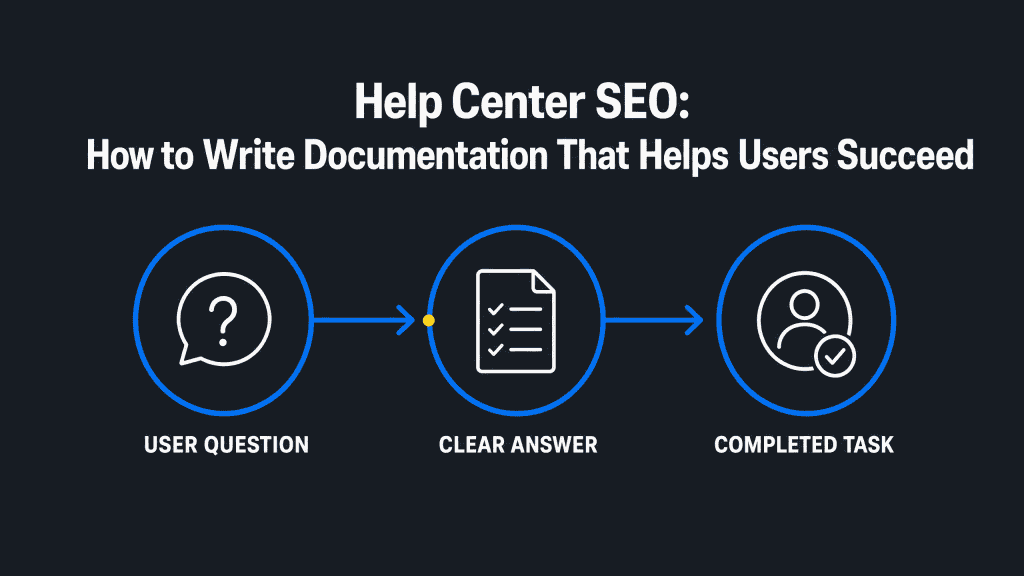
Help Center SEO: How to Write Documentation That Helps Users Succeed
Semantic Summary
Idea: Help center SEO works when every article helps a person complete one real task and gives search engines enough clear context to surface the right answer.
Challenge: Support documentation often becomes hard to find, hard to scan, inconsistent after product changes, or duplicated across several articles—leaving users to search again or contact support.
Summary: Treat the help center as a governed knowledge base: map real support questions, create one-task articles, connect them with clear internal paths, keep them technically accessible, and review performance against both search and support evidence.
Related Reads
- The Customer Success Content Playbook: How to Write Your Way to Zero Churn
- Structuring Content for AI Extraction: The Inverted Pyramid Method
- The Content Refresh Playbook: When to Update, Rewrite, or Delete
What Help Center SEO Really Means
Help center SEO is not about turning support articles into blog posts. It is the practice of making accurate, task-based documentation easy for users to find and use and easy for search engines to discover and understand.
A help center, knowledge base, or support portal has a different job from a marketing blog. A blog may introduce an idea, build demand, or compare approaches. Documentation should help a person complete a specific action, understand a product term, or resolve a defined problem. The best article is often the one that lets the reader leave quickly because their task is done.
That creates a dual audience. The first is the user who needs a clear answer. The second is the search engine that needs enough context to identify what the page covers, how it relates to other pages, and whether it is accessible. Good search engine optimization supports the first audience rather than competing with it.
Do not make ranking the sole measure of success. A useful help article can serve users who arrive from a product link, an in-product search, a support message, or an external search result. The practical question is: can the right person find the right answer and complete the next step?
Start With Support Evidence, Not a Keyword List
The most useful help center content begins with evidence of a real user task. Keywords matter, but they should describe the question people already have—not invent a topic because a phrase appears attractive.
Map recurring questions to one user task
Look for repeated questions in support conversations, on-site search queries, onboarding friction, implementation feedback, and product education sessions. Then state the task in plain language. “Change an account setting,” “understand an invoice,” and “invite a teammate” are clearer starting points than a broad internal feature label.
Separate different task types before writing. A person asking “What does this term mean?” needs a concept explanation. A person asking “How do I change this setting?” needs steps. A person reporting an error needs a safe first check and clear escalation conditions. One page can link to the others, but it should not try to perform all three jobs at once.
Choose one canonical article for each recurring intent
When several URLs answer the same question, users may land on conflicting guidance and editors may update only one version. Assign one canonical article to the core task. A related article can add useful context, but it should not duplicate the primary answer with minor wording changes.
When guidance moves, plan the change. Update internal links, redirect an obsolete URL where appropriate, and explain the new location if a person follows an old bookmark. This protects the user experience and reduces avoidable maintenance work.
Use the language users actually search
Product teams often use precise internal names. Users may not know them yet. Include the correct product term, but pair it with the plain-language task or question that customers use. That gives search engines useful context and makes documentation easier for a new user to scan.
Write Each Help Article for Fast Task Completion
A good help article states the result near the top, then gives the safest and clearest route through the task. Readers should not need to work through a long introduction before learning whether the article applies to them.
Use titles, opening answers, and headings that match the task
A title should accurately describe what the page helps a person do or understand. Question-led titles can work well when they echo a real query. Action-led titles work well when the task is direct. In either case, avoid titles that sound clever but hide the result.
Open with one or two sentences that state the outcome, who can use the instructions, and a key limitation if one exists. For example, explain whether a permission level, a paid plan, or a prior setup step is required before listing the instructions.
This answer-first approach also supports the clear, passage-level structure used in the inverted pyramid method.
Create a repeatable documentation template
Consistency makes a knowledge base easier to use and easier to maintain. A practical template can include the goal, prerequisites, a direct answer, numbered steps, the expected result, troubleshooting guidance, related resources, and a last-reviewed date. Not every article needs every element, but each element should exist for a reason.
Use numbered steps when order matters. Describe the visible control, the action, and the outcome in each step. If a user must make a decision, explain the condition rather than simply saying “select the correct option.” A helpful instruction tells people how to recognise the correct option in their context.
Make the article scannable without making it shallow
Short paragraphs, descriptive headings, and meaningful lists reduce effort. They do not replace substance. Include the detail a user needs to avoid an error, understand a consequence, or know when to stop.
Use a screenshot, diagram, or video only when it clarifies the workflow; keep its supporting text accessible for people who cannot rely on the visual.
Write in direct language. Define a technical term the first time it appears, then use it consistently. Documentation earns trust when it is accurate, calm, and specific not when it makes a simple task sound more complicated than it is.
The One-Task Documentation Model
Use this table when turning a recurring support signal into a help center article. It keeps the page focused on the answer a user needs now while still offering a useful next path.
| Support signal | Article’s one task | Direct opening answer | Useful next path |
| Repeated “How do I…?” question | Complete one product action | State the result and who can do it. | Link to the prerequisite or follow-on task. |
| Confusion about a term | Understand one concept | Define the term in plain language. | Link to setup, configuration, or troubleshooting. |
| Error or failure pattern | Resolve a known issue | State the likely cause and safe first check. | Link to escalation conditions or technical detail. |
| Pre-purchase product question | Assess a capability or limit | Explain the scope and relevant condition. | Link to a product page or bottom-of-funnel resource. |
Build Internal Discovery Paths Across the Knowledge Base
Internal links and information architecture should help users move from a broad problem to the precise article they need. Their job is not to maximise the number of links on a page; it is to reduce the chance of a dead end.
Organise categories around jobs, not internal teams
A category called “Administration” may be obvious to employees but unclear to a new customer. Where possible, use labels that reflect the work users are trying to do: getting started, managing access, billing, integrations, or troubleshooting.
The exact labels will depend on the product, but the test is simple: would a user recognise where to begin?
Categories should guide discovery; they should not become a second navigation system that repeats the same page in several places. If one article belongs to more than one journey, give it one primary home and link to it contextually from other relevant hubs.
Link articles by the next likely task
Every contextual link should tell the reader what they will find. “Set up permissions before inviting teammates” is more useful than “read more.” Descriptive link text helps people decide whether the next page is relevant, and it gives search engines information about the relationship between pages.
Think through common sequences. A setup article may link to verification, then to configuration, then to a troubleshooting check. A concept article may link to the first action that uses the concept. These paths turn individual articles into a usable support system.
Make category and search labels reinforce each other
Category labels, article titles, on-site search suggestions, and the words used in product navigation should point to the same idea where possible. If users search for “export data” but the category calls the task “data portability,” add the familiar wording to the category description, article title, or related link.
This does not mean repeating every search term. It means giving users and search engines clear, consistent signals about the content of the knowledge base.
Avoid dead ends and competing paths
After reading any article, a user should be able to identify the next action, a related task, or a support route when self-service is no longer appropriate.
Review pages that receive search traffic but have no onward link, outdated related resources, or a vague “contact support” ending. Sometimes the best improvement is not more copy; it is one well-placed link or clearer escalation instruction.
Make Help Center Content Search-Ready Without Chasing Tricks
Technical SEO protects discoverability, but it cannot compensate for an article that does not resolve the user’s question. Practical SEO strategies for a help center start with useful content, then make sure search engine crawlers can access important documentation and users can understand and maintain it. The aim is dependable discovery, not a ranking trick.
Use clear URLs, titles, and metadata
Use a descriptive URL that signals the task or topic. Write a unique page title that accurately describes the content and a concise meta description that summarises the value of the page. Google notes that descriptive URLs can help users understand whether a result will be useful, while clear titles help explain a page in search results.
Do not try to force every keyword variation into titles, URLs, and headings. Search engine optimization is not a repetition exercise. The core requirement is a clear match between the article, the user’s question, and the words people can reasonably use to describe that question.
Confirm that important documentation can be crawled and indexed
Check that valuable public help articles are not blocked by robots.txt, restricted by an unnecessary login wall, or hidden behind a search interface that exposes no useful links. Confirm that important page content is visible to search engines in a usable form, particularly if the support portal relies heavily on scripts.
An XML sitemap can help search engines discover important URLs, especially on a larger or more complex knowledge base. It is not a promise of indexing; internal links and useful, accessible pages still matter. Use Google Search Console to inspect indexation issues and to check the version of an article that Google can access.
Structure content for conventional and answer-driven search
Use direct answers beneath clear headings. Use a short table when it makes a decision easier, and ordered steps when sequence matters. Structured data can help systems interpret eligible page types, but it is not a shortcut to visibility. The underlying article must still be accurate, relevant, and helpful.
Keep page metadata valid. Google states that invalid elements in the document head can affect how later metadata is processed. This is a small technical detail with a practical implication: keep documentation templates clean and test changes before a broad rollout.
Test the help center on mobile devices and in internal search
Technical SEO and user experience meet in the page template. Test a long article on a small screen: are headings easy to scan, steps readable, links easy to tap, and tables still understandable?
Then test the same task through the help center’s own search. An article that ranks in external search but cannot be found through a product’s support portal still leaves many users without an answer. Record the failed queries, the pages with no useful result, and the search refinements that reveal unclear content or navigation.
Diagnose the discovery problem before rewriting the article
Use a page-level search performance dashboard to separate five different issues: a URL that is not indexed, an indexed URL with little visibility, a visible result that earns few clicks, an article that internal search cannot retrieve, and an article that users find but cannot use. Each needs a different fix.
Review indexation and crawl access first, then the title and snippet shown in search results, then the article’s task instructions. This prevents a team from rewriting useful content when the real problem is a broken link, an outdated URL, or a missing navigation path. Treat the record as a content optimization workflow: log the query, URL, observed issue, owner, SEO performance, and related support-ticket theme before choosing the next change.
Establish a Documentation Governance and Refresh Cycle
Documentation needs an owner and a review trigger. Without both, even well-written help center content loses value as product behaviour, policies, terminology, and user expectations change.
Assign responsibility and a change-notification path
Identify who owns the accuracy of a product fact, who edits the article, and who approves a change that affects customers. Then define how product releases, policy updates, and known issues reach the documentation owner. A release process that does not notify help content owners creates a predictable gap between the product and the published answer.
Customer success, product, support, and content teams do not need to write every article together. They do need an agreed way to share evidence.
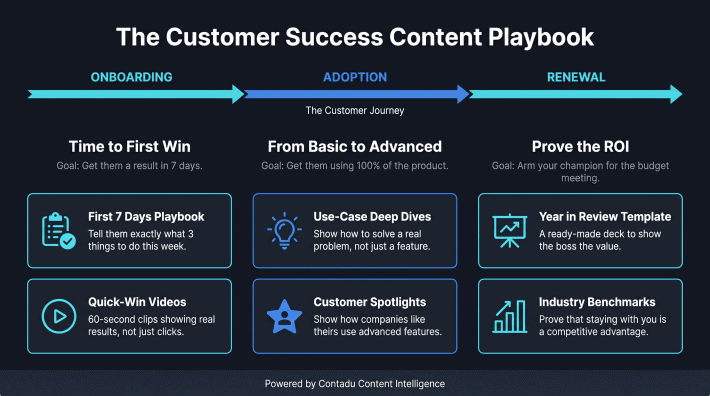
This is the same broader principle behind a useful customer success content playbook: education works best when it is connected to real customer needs and lifecycle moments.
Use evidence-based refresh triggers
Set review triggers that a team can observe: a product release changes the workflow; the same support question continues after the article is viewed; an internal link breaks; an on-site search has no useful result; two articles now cover the same task; or the wording no longer matches the product interface.
Record the last reviewed date and the reason for a meaningful change. This helps editors decide whether an article needs a factual update, a fuller rewrite, or simply a better discovery path.
For a broader decision framework, use the content refresh playbook.
Separate updates, consolidation, and retirement
Update an article when the task is still valid but the details changed. Consolidate articles when they serve the same intent and the duplicate coverage makes maintenance harder.
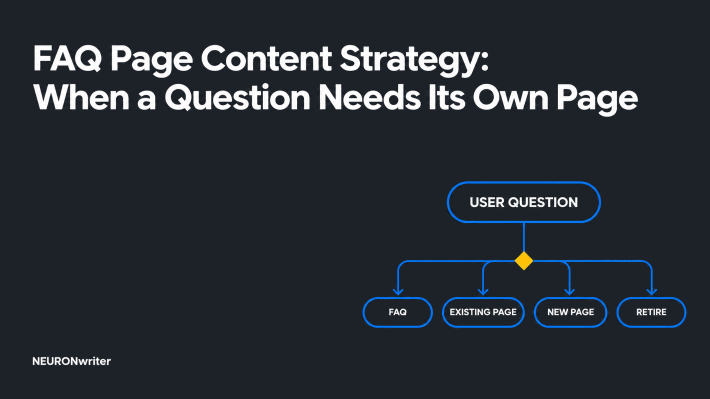
Retire an article when the task no longer exists, while providing a clear redirect or replacement path when readers may still reach the old URL. These are editorial decisions as much as technical ones.
Measure Search Visibility and User Success Together
Ranking data alone cannot show whether a help center works. Combine search discovery, on-site behaviour, support evidence, and task outcomes to understand whether an article is useful.
Measure the discovery path
Review search impressions, clicks, indexation status, and the search terms that bring people to an article. In the help center itself, look for searches that return no useful result, repeated refinements to the same query, and pages with unusually high exits before a clear next action. These signals identify where information architecture or article wording may be failing.
Measure the support and product signal
Look at repeated ticket themes, feedback on whether an article solved the problem, and escalations that happen after a person views a guide. Where the product allows it, connect documentation views to a safe, aggregated signal of task completion. Do not assume that a fall in tickets proves a single article caused it; use the evidence to form and test a practical hypothesis.
Turn findings into an editorial backlog
Use the combined evidence to choose the next action: create a missing article, clarify a confusing opening answer, repair an internal link, split an overloaded guide, or improve navigation. This makes the help center a living content system instead of a static archive. A content intelligence approach can help teams make those choices consistently across a growing SaaS knowledge base.
How Contadu Supports a More Useful Help Center Content System
Contadu can help teams turn validated customer questions into more consistent help center documentation. The work begins with research and article briefs, then continues through topic coverage, quality review, internal-link opportunities, and refresh priorities.
For a help center, that means mapping a query to a user task before an editor writes. It also means checking whether an existing article already answers the question, identifying related content that creates a useful next path, and keeping the terminology consistent across product education.
This extends the approach described in Content Intelligence for SaaS: A Guide to Technical Content Optimization.
Some documentation questions are educational; others show that a prospect is evaluating a product capability. When the latter is true, connect the support article to a useful product explanation or bottom-of-funnel content without disrupting the immediate answer. The reader should always be able to complete the current task first.
A Pre-Publish Help Center SEO Checklist
Use this checklist before publishing a new article or making a substantial documentation update.
- The article solves one clearly defined user task or explains one clearly defined concept.
- The opening answer states the outcome, key condition, and intended user.
- Product facts, permissions, and limitations have been reviewed by the right owner.
- Steps, headings, and supporting visuals make the task easier to complete.
- The title, URL, and metadata accurately describe the article without forced keyword repetition.
- Contextual internal links lead to the most likely prerequisite, follow-on task, or escalation path.
- The page can be crawled and indexed where public discovery is intended, and it has an assigned review trigger.
- The team knows which search, support, and task signals will show whether the article needs improvement.
FAQ
What is help center SEO?
Help center SEO is the work of making support documentation discoverable and useful for people who need an answer. It combines task-based article writing, clear information architecture, internal links, technical access, and ongoing maintenance. The goal is not simply to rank; it is to help the right user find the right guidance.
How is help center SEO different from blog SEO?
Blog SEO often addresses education, category awareness, or evaluation questions. Help center SEO focuses on product tasks, troubleshooting, and precise explanations for existing or near-term users. Both need useful content and clear technical foundations, but a help article should prioritise task completion over broad narrative coverage.
Should every help article target a keyword?
Every public article should use language that reflects the task users are trying to complete, but it does not need an artificial keyword target. Start with real support and on-site search evidence. If an article answers a genuine question clearly, the relevant terms will usually fit naturally in its title, opening answer, headings, and links.
Can help center SEO reduce support tickets?
Better documentation can make self-service easier, which may reduce avoidable support demand. It is not an automatic outcome. Measure repeated ticket themes, article helpfulness, unresolved searches, and escalation patterns before deciding whether an article or navigation change is making a difference.
What technical SEO checks matter most for a knowledge base?
Start with crawlability, indexability, descriptive URLs, unique titles and metadata, usable internal links, mobile access, and a sensible XML sitemap where it helps discovery. Also check that important content is visible to search engines and that obsolete pages have a clear replacement or redirect path. Technical SEO should make useful documentation available, not become a checklist detached from user needs.
How can a team measure help center SEO performance?
Use Search Console to review impressions, clicks, indexation, and relevant search queries. Combine that with on-site searches, article navigation, support-ticket themes, and feedback from users. The most useful report shows both whether people can discover an article and whether it helps them finish their task.
When should a help article be updated, consolidated, or removed?
Update an article when its task remains valid but the product, policy, terminology, or steps have changed. Consolidate it when several pages answer the same intent and create confusion. Remove or redirect it when the task no longer exists, while giving people a clear route to the replacement guidance when one is available.