
Release Notes Best Practices: Product Update Notes Users Actually Read
Semantic Summary
Idea: A useful product update note tells the right user what changed, why it matters to their work, and what to do next.
Challenge: Many release notes list tickets, technical jargon, and generic fixes without helping customers decide whether a change affects them.
Summary: Keep one accurate technical record, then create a clear user-facing update with an outcome, affected audience, action, and links to the next helpful resource.
Related Reads
- Aligning Content Strategy with Product-Led Growth (PLG)
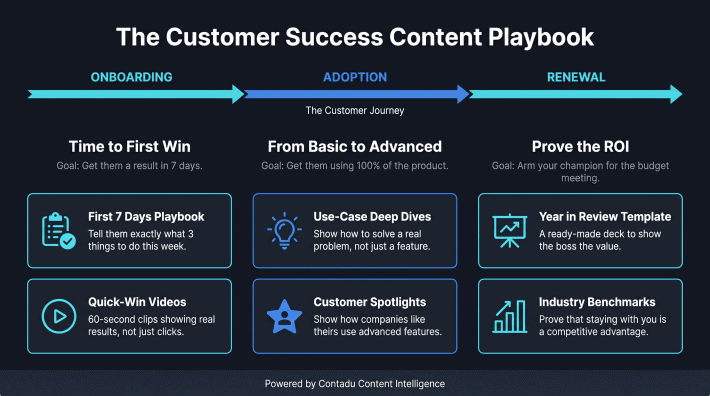
- The Customer Success Content Playbook
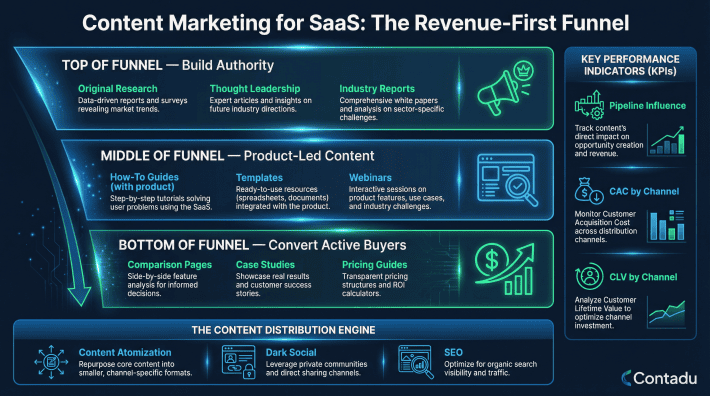
- Content Marketing for SaaS
What Release Notes Are and Why Users Ignore Them
Release notes are a customer-facing explanation of a product change. Their job is not to mirror every technical detail from a development ticket. Their job is to help someone understand whether the change affects them, what benefit or limitation it creates, and whether they need to act.
A changelog and a release note can use the same source material, but they serve different readers. A changelog is a record of changes. It may contain version numbers, internal terms, bug fixes, dependencies, or short commit-style descriptions.
A release note is an explanation for a user, customer, partner, or other stakeholder. It turns a product release into a useful piece of communication.
People ignore product update notes when they are difficult to scan or do not answer a practical question. “Improved performance” does not tell a user what is faster. “Various fixes” does not tell an affected customer whether a problem they reported is resolved. A good release note makes the impact specific without overstating it.
Release Notes, Product Updates, and Changelogs Have Different Jobs
Use a changelog when the reader needs a complete historical record. Use a product update note when the reader needs context and guidance. Use a product announcement when the change deserves a broader market or customer message. One release can require all three, but they should not be copied word for word.
For example, a technical record may say that an integration now supports an additional field. A user-facing note should explain which team can use that field, what workflow it improves, whether existing setup changes are needed, and where to find the relevant documentation.
Start With the Impact on the User
Before writing, complete one sentence: “For this audience, this change makes it easier to complete this job.” If the team cannot complete that sentence, the change may still need a technical record, but it is not ready for a broad customer update.
Choose the Audience Before You Write
Every release note should have a clear primary reader. A single product release may affect administrators, daily users, developers, buyers, support teams, and internal employees differently. Publishing one dense note for all of them usually produces a note that is too technical for some readers and too vague for others.
Identify Who Is Affected
Start by asking who will notice the change first. An administrator may need configuration steps. A daily user may only need a short explanation of a new option. A buyer may benefit from a high-level proof point, while a support team needs known limits and a link to a troubleshooting article.
This audience choice does not mean creating a different release note for every role. It means deciding which version is the main user-facing update and which readers need a follow-up asset.
A high-impact change may need a concise update, a help article, onboarding guidance, and a customer-success talking point.
Separate Internal and External Updates
Internal notes can include deployment detail, technical dependencies, temporary workarounds, and ownership. External notes should focus on verified user impact. Keep the two versions connected through a shared source of truth, but do not publish internal shorthand by accident.
This is especially important for changes involving security, permissions, data handling, or a known limitation. The external note should be accurate, specific, and reviewed by the appropriate owners. It should not turn a sensitive update into vague promotional language.
The Anatomy of a Good Release Note
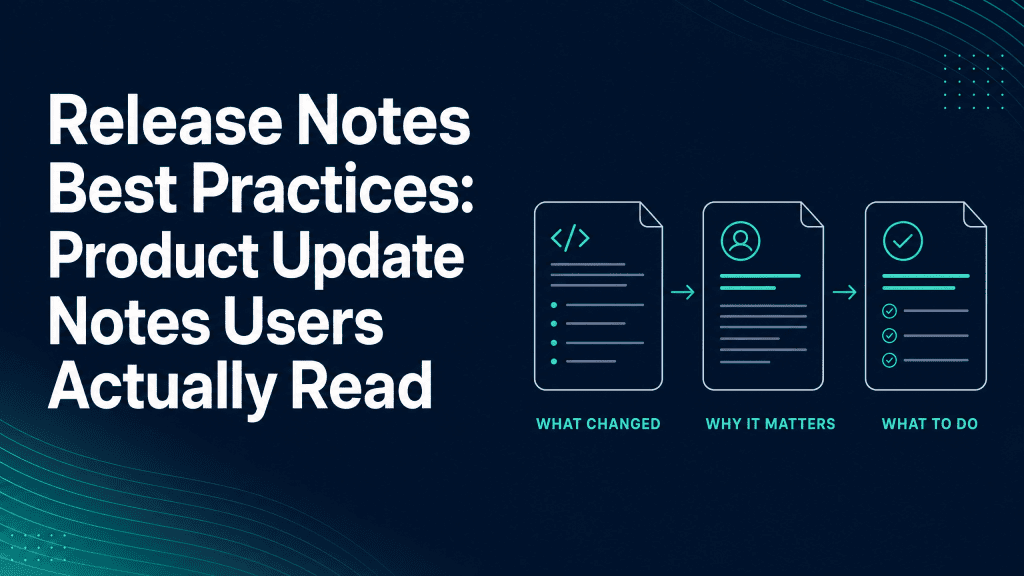
A good release note answers four questions quickly: what changed, who it affects, why it matters, and what to do next. The reader should be able to scan those answers before deciding whether to read more.
| Release-note element | User question it answers | What to include | Next action |
| Clear title | What is this update about? | The feature, workflow, or problem area in plain language | Decide whether to keep reading |
| High-level summary | Why should I care? | The practical outcome, affected audience, and availability | Understand relevance |
| Change detail | What is different now? | Short bullets, screenshots, examples, or links to documentation | Use the change correctly |
| Action and limits | What do I need to do or know? | Setup steps, tutorial links, availability conditions, and verified limits | Adopt, configure, or ask for help |
Use a Clear Title and High-Level Summary
A title should name the meaningful change, not the internal project. “Schedule reports from saved views” is more helpful than a release code or a vague “New reporting improvements.” The high-level summary can then state the outcome in one or two sentences.
Include the date and version number when they help users find the relevant update. Do not force versioning into the first line if the user is more likely to look for a workflow name or feature. The goal is retrieval and clarity, not a rigid format.
Explain What Changed, Why It Matters, and What to Do Next
Use short sections or bullet points for the main change. Explain the before-and-after experience when that makes the value clearer. Then add the next action: try a setting, read a tutorial, update a configuration, or simply continue using the product as before.
Screenshots are helpful when a user must find a new control or understand a changed screen. Use them to explain a task, not as decoration. If a tutorial or help article already explains the workflow in depth, link to it instead of repeating every step in the release note.
Include Known Limits When They Change the Decision
Not every product update is available to every account, plan, region, or user role. Say so clearly. If a feature is rolling out gradually, requires an administrator action, or has a current limitation, place that information near the relevant instruction. A transparent note builds more trust than a broad claim followed by a surprise.
Release Notes Best Practices for Readability and Trust
Readable release notes use plain language, short sections, and a predictable pattern. They should make it easy to skim an update without hiding the details a user needs to make a sound decision.
Use Everyday Language First
Write the user outcome before the technical mechanism. Define an unavoidable technical term the first time it appears. For example, instead of leading with an implementation detail, begin with what the change lets the user do, then link to technical documentation for readers who need it.
Remove generic phrases such as “enhancements and improvements” unless you immediately explain the specific improvement. “We reduced the number of steps needed to invite a teammate” is clearer than “We improved collaboration.”
Use a Consistent Template Without Writing by Formula
A template keeps the workflow reliable, but each release note should still match the change. A minor bug fix may only need a title, short explanation, and availability date. A major new feature may need a summary, audience guidance, screenshots, setup instructions, a tutorial, and a follow-up message.
Consistency should help users recognise where to find information. It should not make every note sound identical. A good template gives writers a checklist, not a substitute for judgment.
Turn a Release Into Adoption Content
A release note is often the first layer of adoption content, not the last. High-impact changes need supporting content that helps users understand when to use the feature, how to set it up, and what a successful outcome looks like.
Build Audience-Specific Assets From One Verified Source
Start with a verified source pack: the product change, affected audience, availability, known limits, examples, and the owner who can confirm each claim. From that source, create the external release note, a help-center page, an onboarding message, and an internal customer-success summary where relevant.
This method prevents drift. The user-facing note remains concise, while the deeper resources answer task-specific questions. It also gives sales and support teams a reliable way to explain the change without inventing their own version.
Connect Updates to Product-Led Growth and Customer Success
For a product-led growth motion, a release note can direct an active user toward the next useful behaviour. For customer success, it can explain how an improvement addresses a common workflow issue. The relevant follow-up depends on the audience: a link to an onboarding checklist, a tutorial, an account setting, or a conversation with a support contact.
This is why product update notes belong in the wider content system. They can support the same education journey as help content, customer stories, and evaluation content. For broader planning, see how to align content strategy with PLG and the customer success content playbook.
A Lightweight Release-Note Workflow
A repeatable workflow protects accuracy and makes the notes easier to publish on time. The process can be simple as long as the team agrees on ownership and review points.
1. Collect Change Details From the Product Team
Ask for the core product change, the intended audience, the reason it matters, availability, dependencies, known limits, screenshots, and links to documentation. Do not ask a writer to infer product impact from a task title or commit message alone.
2. Confirm Claims, Audience, and Timing
A product manager or another accountable owner should confirm the scope before publication. Check whether the feature is fully available, whether the wording reflects the real behaviour, and whether technical jargon has been translated accurately. This review protects users from misleading instructions and protects teams from unnecessary support work.
3. Draft, Review, Publish, and Learn
Draft the technical record and user-facing release note from the same source pack. Publish the note where affected users can find it, then monitor questions, support themes, and adoption signals. Feed those questions into the next release note, documentation update, or content brief.
Automation can collect source material and suggest a first draft, but it should not approve availability claims, security language, or user impact. Keep a person responsible for the final content decision.
Distribution and Measurement
A release note works only if the right user can find it at the right moment. Publishing a note in one archive may be sufficient for a small change, but major updates often need contextual distribution through onboarding, in-product education, customer communication, or help content.
Measure more than views. Look for clicks to a tutorial, completion of a setup task, reduction in repeat support questions, feedback from customer-facing teams, and use of the new workflow where that signal is available. These indicators do not prove that one release note caused adoption, but they help the team learn whether the explanation was useful.
Common Release-Note Mistakes
The most common mistake is treating the release note as an administrative task rather than a user communication task. Avoid these patterns:
- Publishing one long block of text for every audience.
- Leading with internal project names, ticket numbers, or unexplained technical jargon.
- Writing “bug fixes and improvements” without naming the user-visible impact.
- Hiding availability conditions, known limits, or required setup steps.
- Publishing the note without links to the documentation or onboarding content the user needs next.
- Assuming a view count is the only useful measure of whether the update helped.
How Contadu Helps Turn Product Changes Into Useful Content
Contadu helps teams turn scattered product knowledge into a more consistent content workflow. Use content briefs to capture the user question behind a change, map terminology before different teams describe the feature in conflicting ways, and identify the supporting documentation or education asset that should accompany the update.
Content scoring and gap analysis can help teams see where a product update needs clearer explanation, while internal-linking recommendations help connect a release note to the help, onboarding, and evaluation pages around it.
That makes each product release more useful than a standalone announcement and keeps the learning available for future content planning.
Frequently Asked Questions
What are release notes?
Release notes are user-facing explanations of changes in a product release. They typically describe what changed, who is affected, why the change matters, and what the user should do next. A technical changelog may support them, but it serves a different purpose.
Why do release notes matter to users?
Release notes reduce uncertainty. They help users decide whether a change affects their work, whether they need to adjust a process, and where to find deeper guidance. Clear notes can also prevent avoidable support questions after a product update.
What is the difference between release notes and a changelog?
A changelog is a historical record of changes, often written for technical or internal readers. Release notes translate the relevant change into plain language for users and other stakeholders. One release can have both documents, but the external note should not simply copy the internal record.
What should a good release note include?
A good release note includes a clear title, a short summary of the user impact, the affected audience, relevant details, and a next action. Add screenshots, documentation, a tutorial, or known limitations only when they help the reader use the change correctly.
Who should write release notes?
Writing can be shared between product, product marketing, technical writing, and customer-success teams. The most important requirement is clear ownership: someone must confirm the product facts, someone must make the explanation useful for the audience, and someone must approve the final note.
How often should a SaaS company publish release notes?
Publish a release note when a user-facing change is available and the affected audience needs an explanation. A regular cadence can make updates easier to find, but frequency should not force teams to publish insignificant notes. Group related minor changes when that improves clarity.
How can a team automate release notes without losing accuracy?
Use automation to collect inputs, create a draft structure, or route review tasks. Keep a responsible product owner or reviewer in the workflow to verify scope, availability, limitations, and user-facing language. Automation should speed up preparation, not replace accountability for the final message.